INSIDE YOUR AI AGENT FACTORY
A whole operation.
One living headquarters.
Give agents roles, give work a home, and keep the tools beside the tasks. Customize the rooms to suit your business, or start with the agency template shown throughout this site.
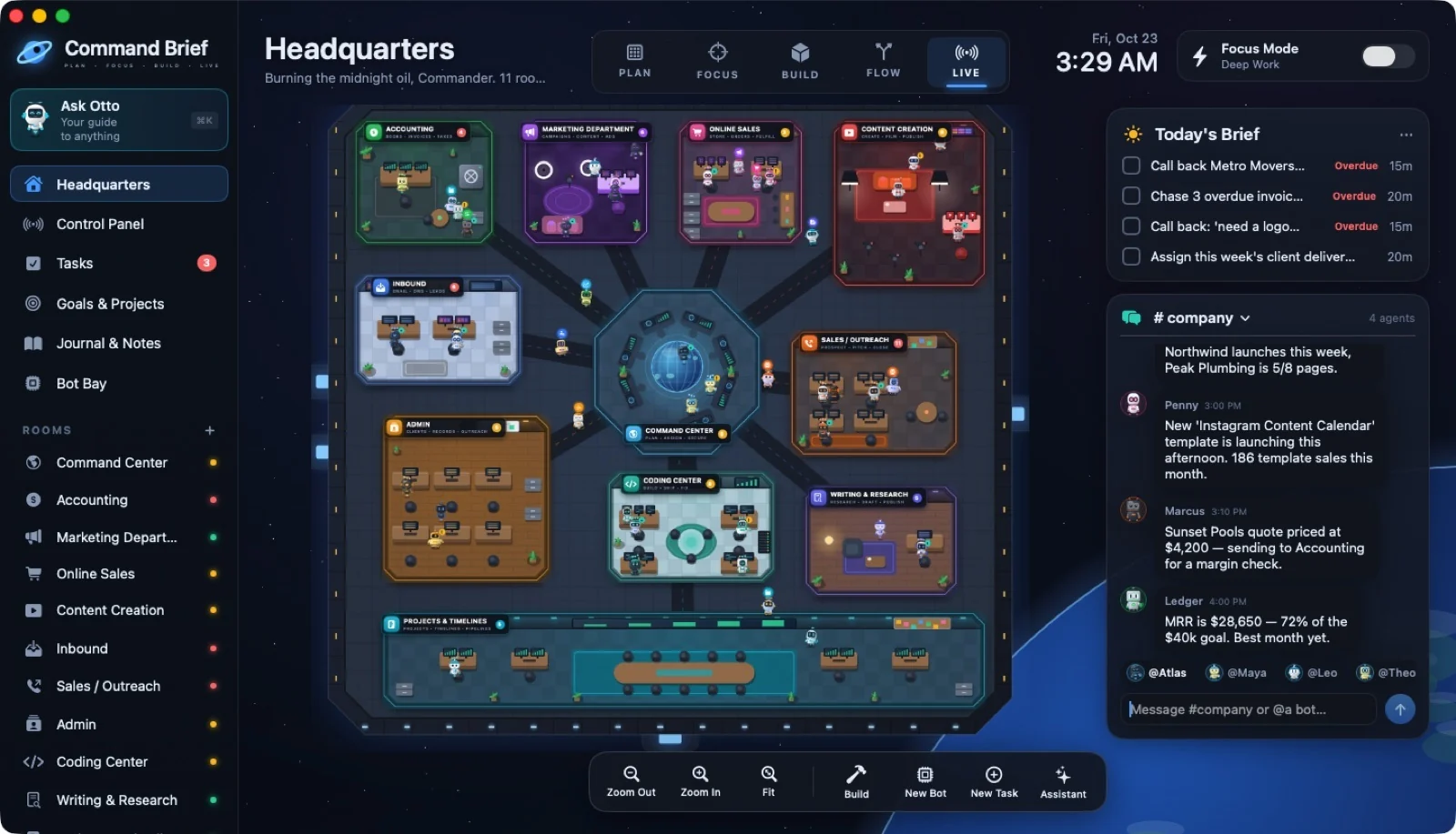
See your business in motion.
The animated station, department task badges, Today’s Brief, and company chat. Real task status gives your crew its routine.
 ↗ Enlarge
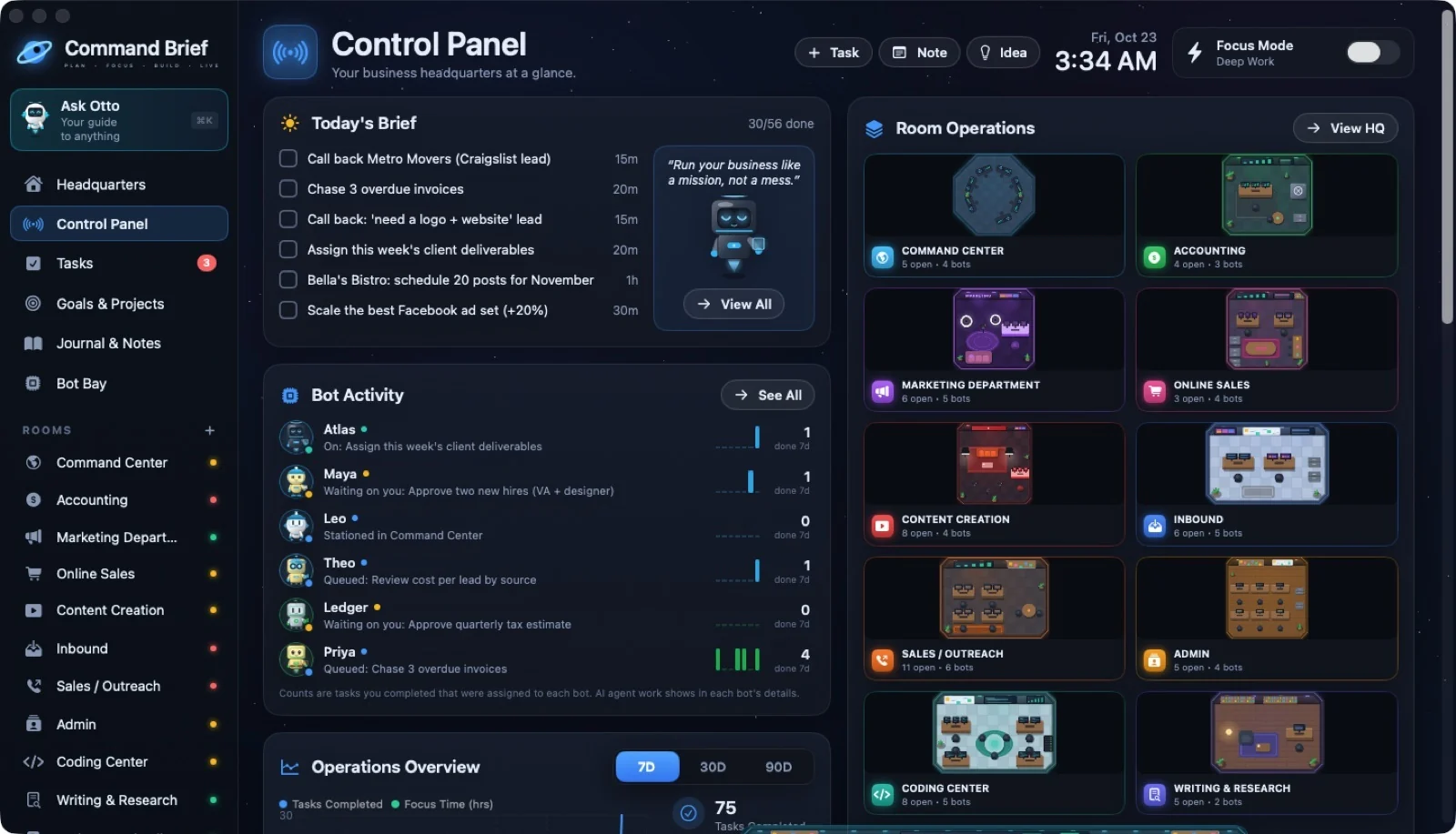
Start with what matters today.
Daily brief, bot activity, room operations, charts, goals, and deadlines in the Control Panel.
 ↗ Enlarge
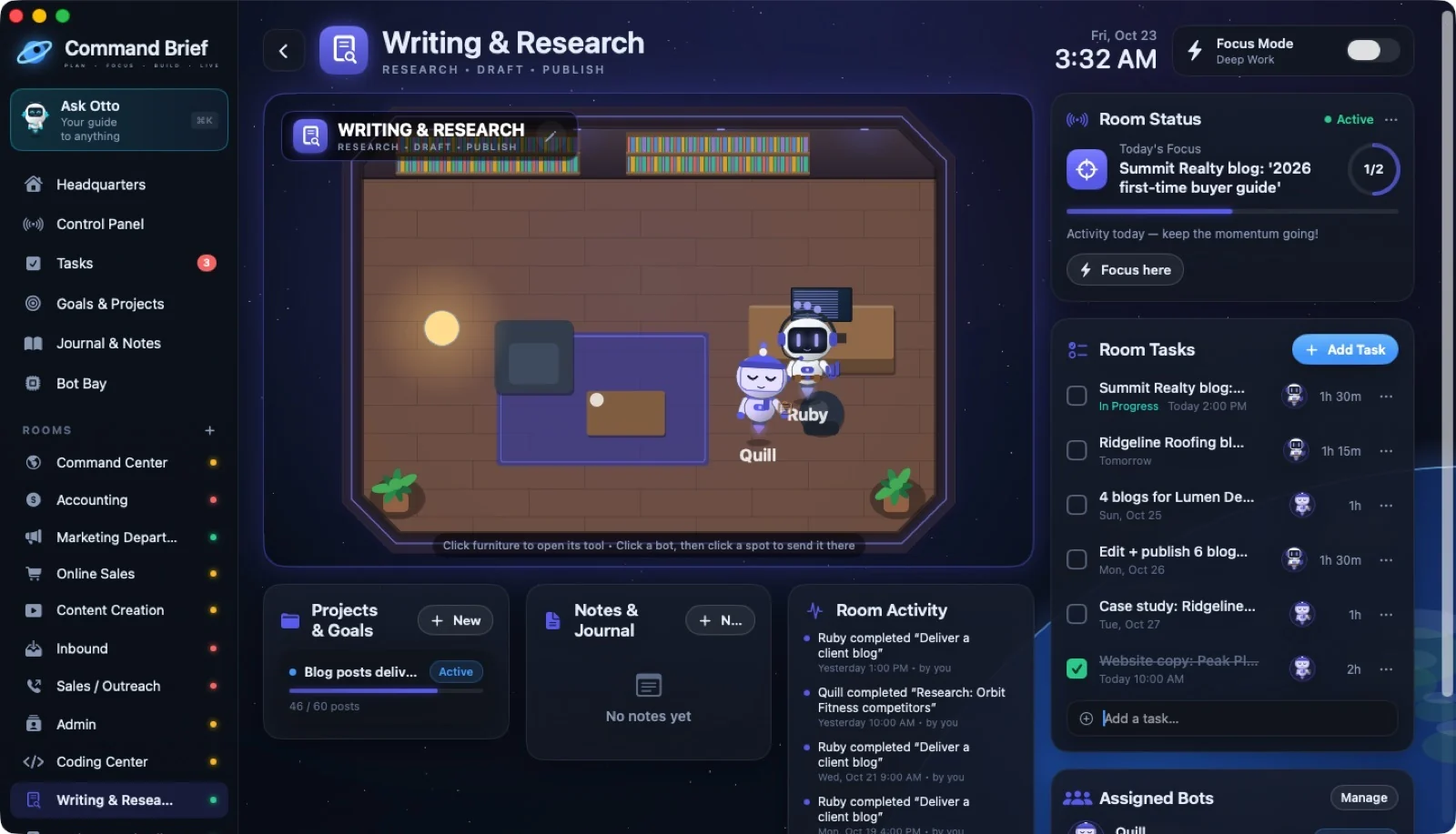
Give one thing your attention.
Start a focus session from the mode switch, a room, or a Focus Timer tool. The Writing & Research room shown here includes a focus chair. Sessions feed your stats.
 ↗ Enlarge
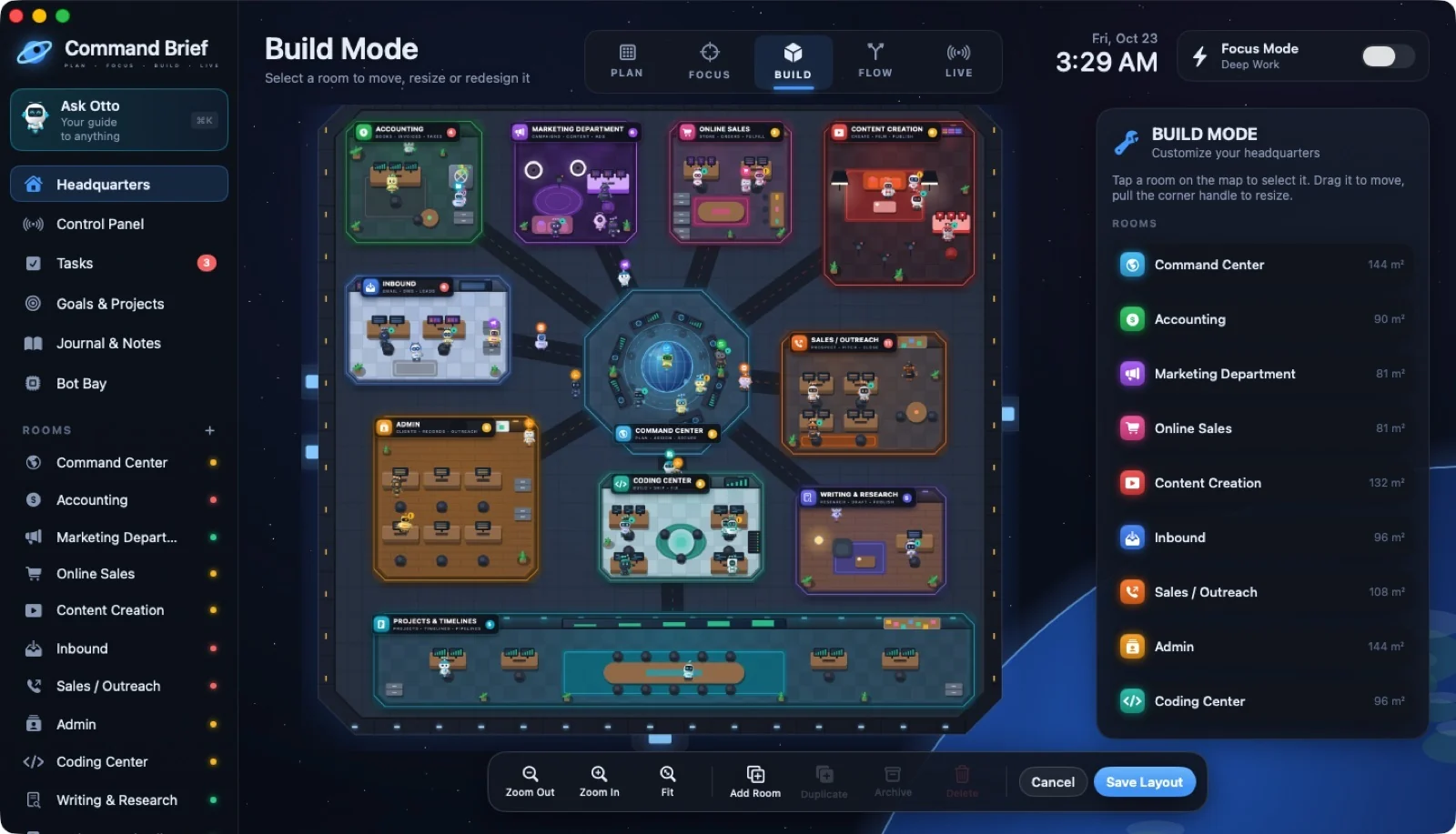
Build a headquarters that feels like yours.
Move and resize rooms, choose colors and themes, and customize furniture styles. Save the draft when you’re ready.
 ↗ Enlarge
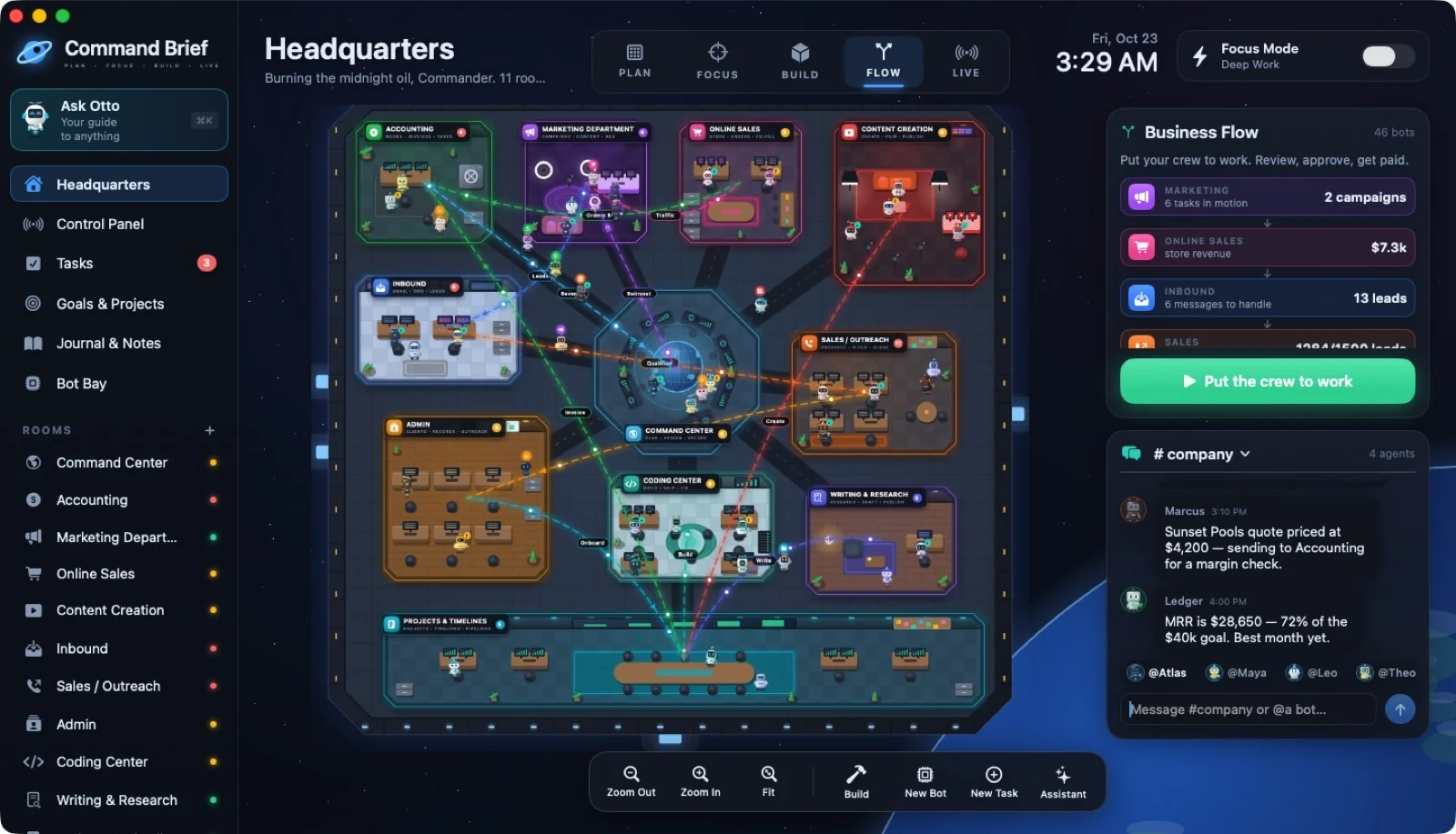
Follow the work. Understand the handoffs.
Labeled lanes trace the lead-to-revenue pipeline. Trackers, goals, tasks, and client records drive the numbers.
 ↗ Enlarge
TASKS & REPEATS
Less “where was that?”
More done.
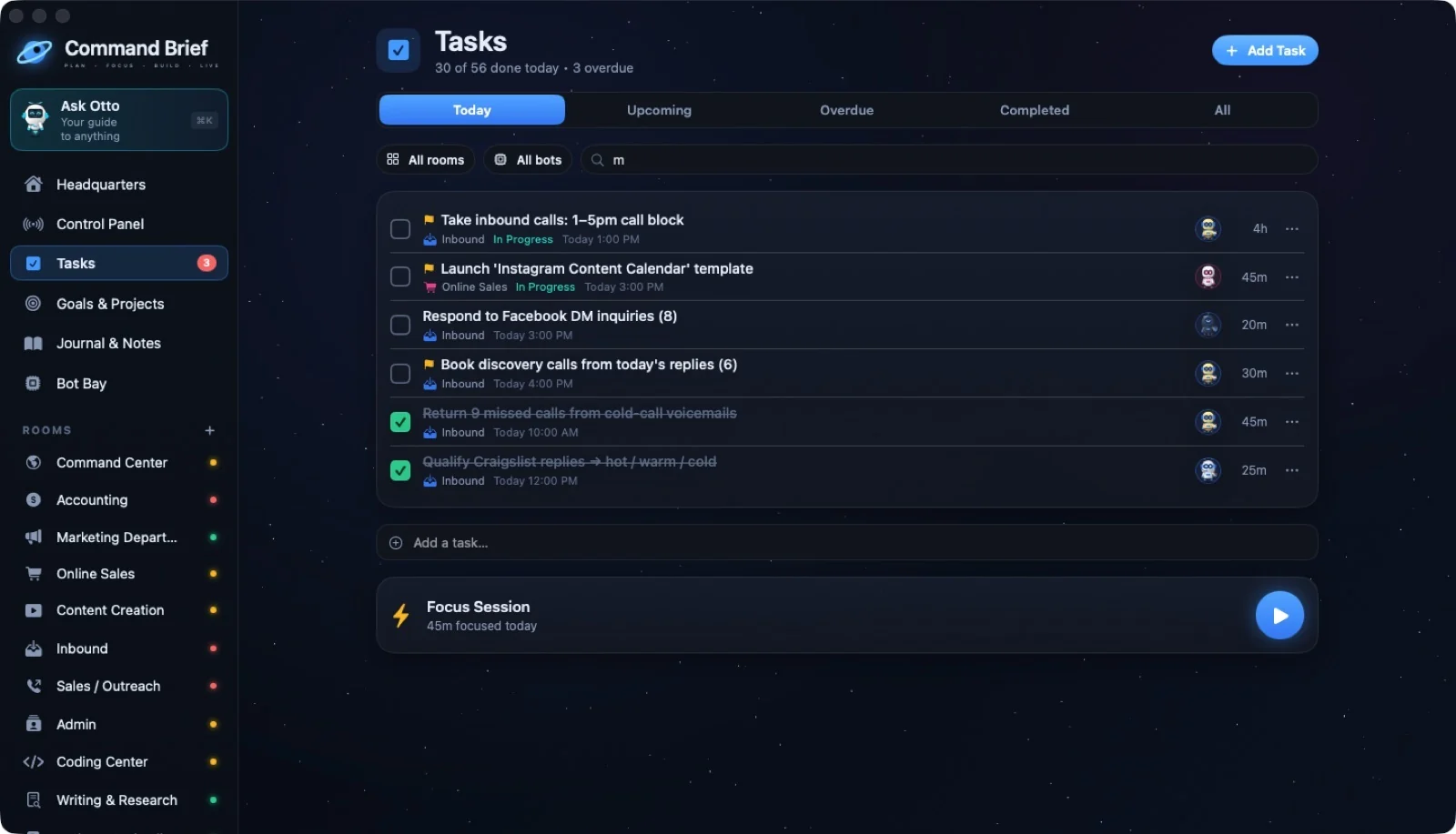
Capture a task with ⌘N. Give it a room, a bot, a priority, a due date, and an estimate. See today, upcoming, overdue, and completed work.
- Recurring tasks schedule their next occurrence
- Link a task to a goal
- Track To Do, In Progress, Needs Input, and Done
 ↗ Enlarge
GOALS & PROJECTS
Make the next step
part of the bigger plan.
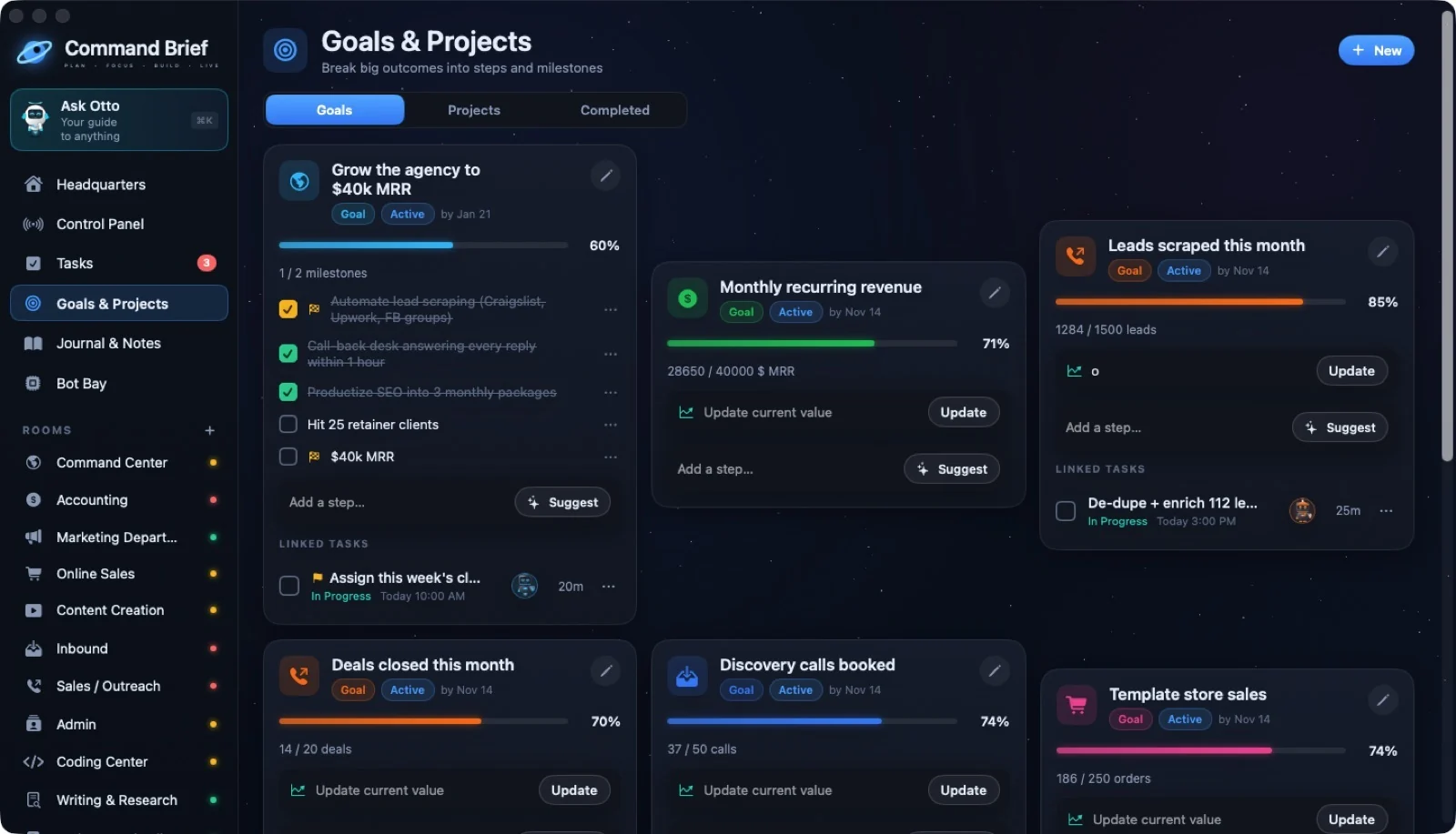
Track a numerical goal or break it into steps. Give projects milestones and target dates, then watch progress move through the timeline and pipeline.
- Turn goal steps into tasks
- Track projects by planning, active, and done
- Keep deadlines beside the work
 ↗ Enlarge
JOURNAL, NOTES & FOCUS
Keep the thinking
with the doing.
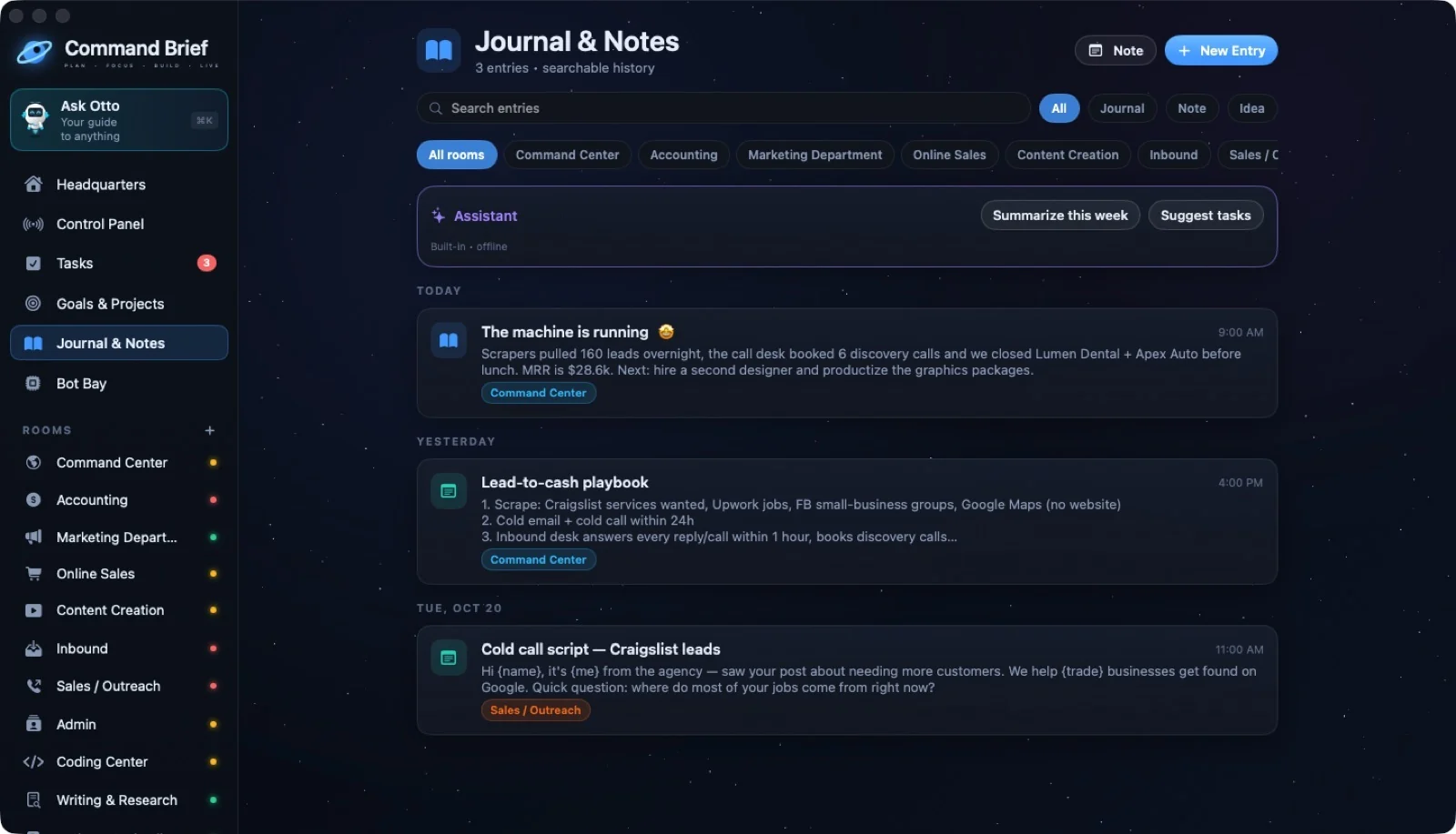
Write a founder journal, save an idea, or keep notes inside a department. Search your history, review a week, and approve suggested tasks from an entry.
- Room-linked notes and journal entries
- Mood, daily history, and weekly summaries
- Focus sessions recorded in your stats
 ↗ Enlarge
FURNITURE THAT WORKS
Pick a tool.
Give it a place.
Click a desk, screen, cabinet, or other piece to open its tool. Change the name and tool whenever your workflow changes.
To-Do List
The room’s actual tasks.
Checklist
Reusable steps saved on this piece.
Notepad
Notes that save as you type.
Journal
The room’s journal entries.
Goals
Room goals and progress.
Focus Timer
A session tied to this room.
Deadlines
The next things due.
AI Agent
A request to a connected agent.
Links
Bookmarks opened in your browser.
Tracker
Count calls, leads, orders, or dollars.
Room Stats
Activity numbers for this room.
Password Vault
Logins stored in Mac Keychain.
Client Records
Contacts, status, value, and history.
Client Outreach
Drafts opened in your Mail app.
Project Timeline
Milestones and due dates.
Pipeline Board
Task or project stage columns.
Decorative
Just furniture. Your choice.
CLIENTS & OUTREACH
Give every client
a home base.
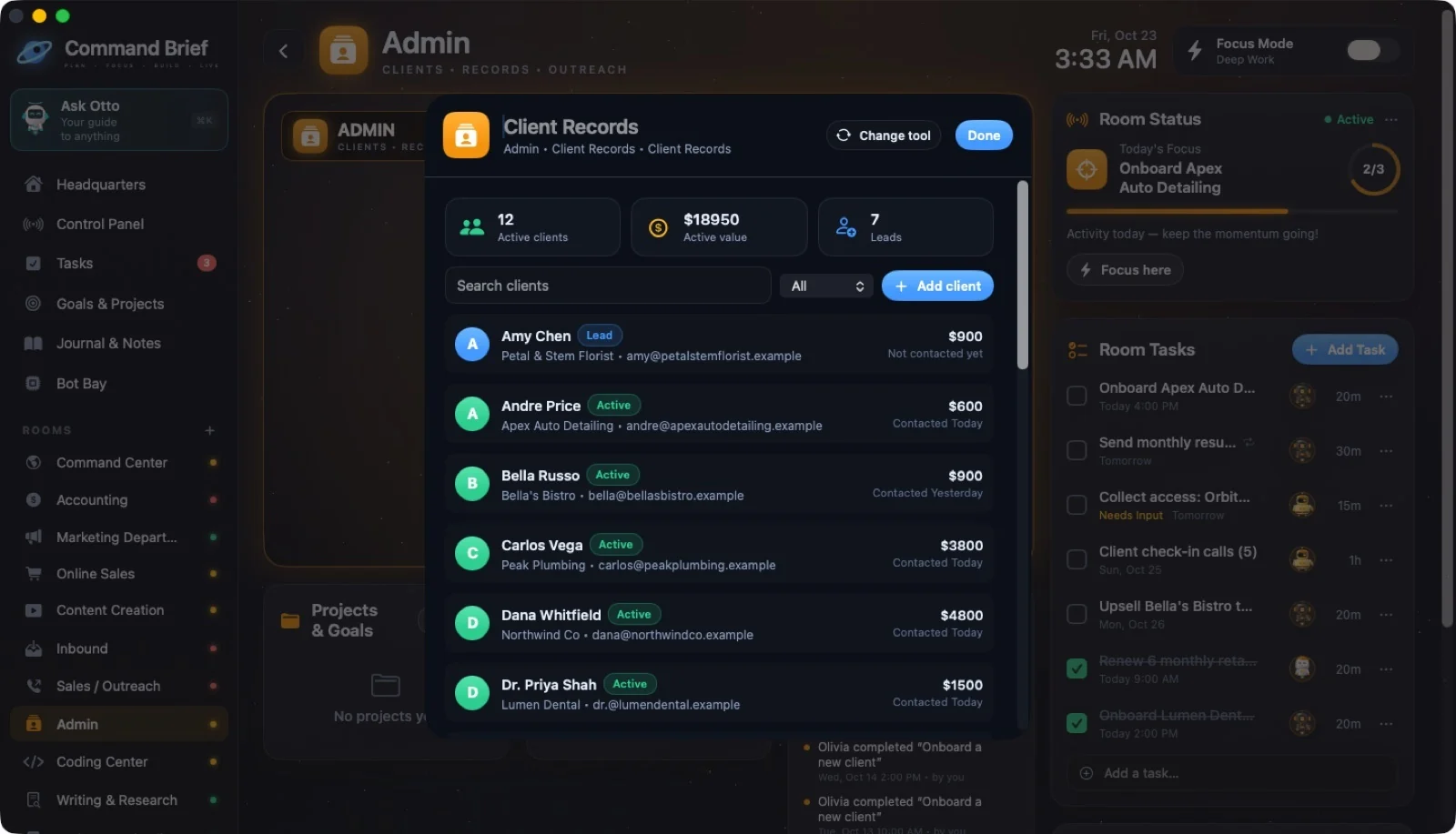
Keep client records, contact history, statuses, and values together in Admin. Write an update from a template or use optional AI to help draft it.
- Open a BCC draft or up to ten personalized drafts in Mail
- You send the email in your mail app
- Store and inbox tools use your entries; no external sync
 ↗ Enlarge
YOUR NEXT MOVE
Make work a place
you want to be.
A world for your work. A crew with character. Your business in view.
Offer available through December 31, 2027.
Optional AI usage is billed separately.