REGULAR BOTS
They show
the work.
Your animated crew reflects assigned tasks, progress, and work waiting on you. Ordinary bots don’t do the task themselves.
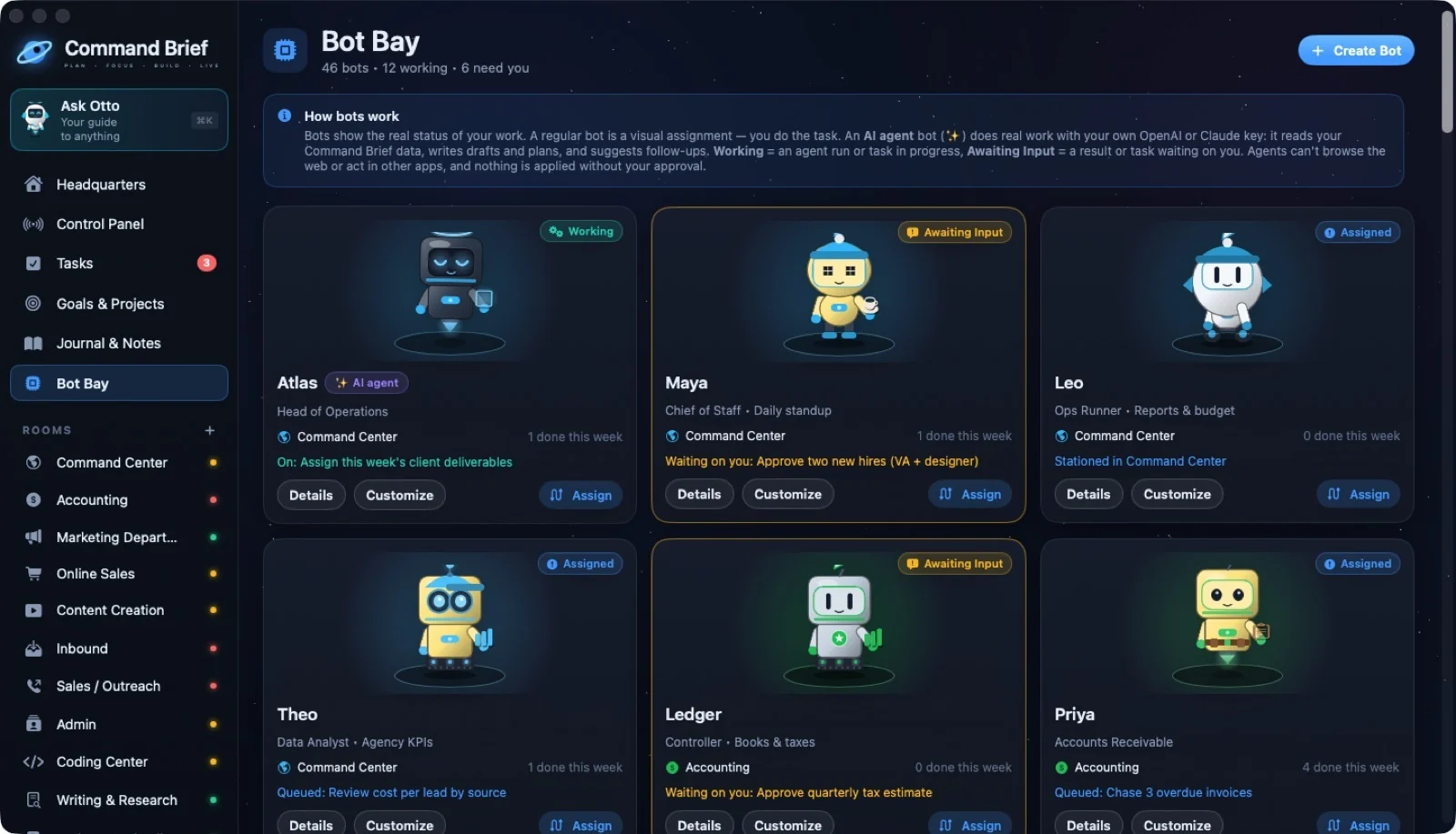
THE PEOPLE IN YOUR AI AGENT FACTORY
Create specialized agents for the work you need: writing, marketing, operations, and more. Give each one instructions and a home in your factory. Connect your own AI provider to run agents; ordinary bots remain visual task companions.
 ↗ Enlarge
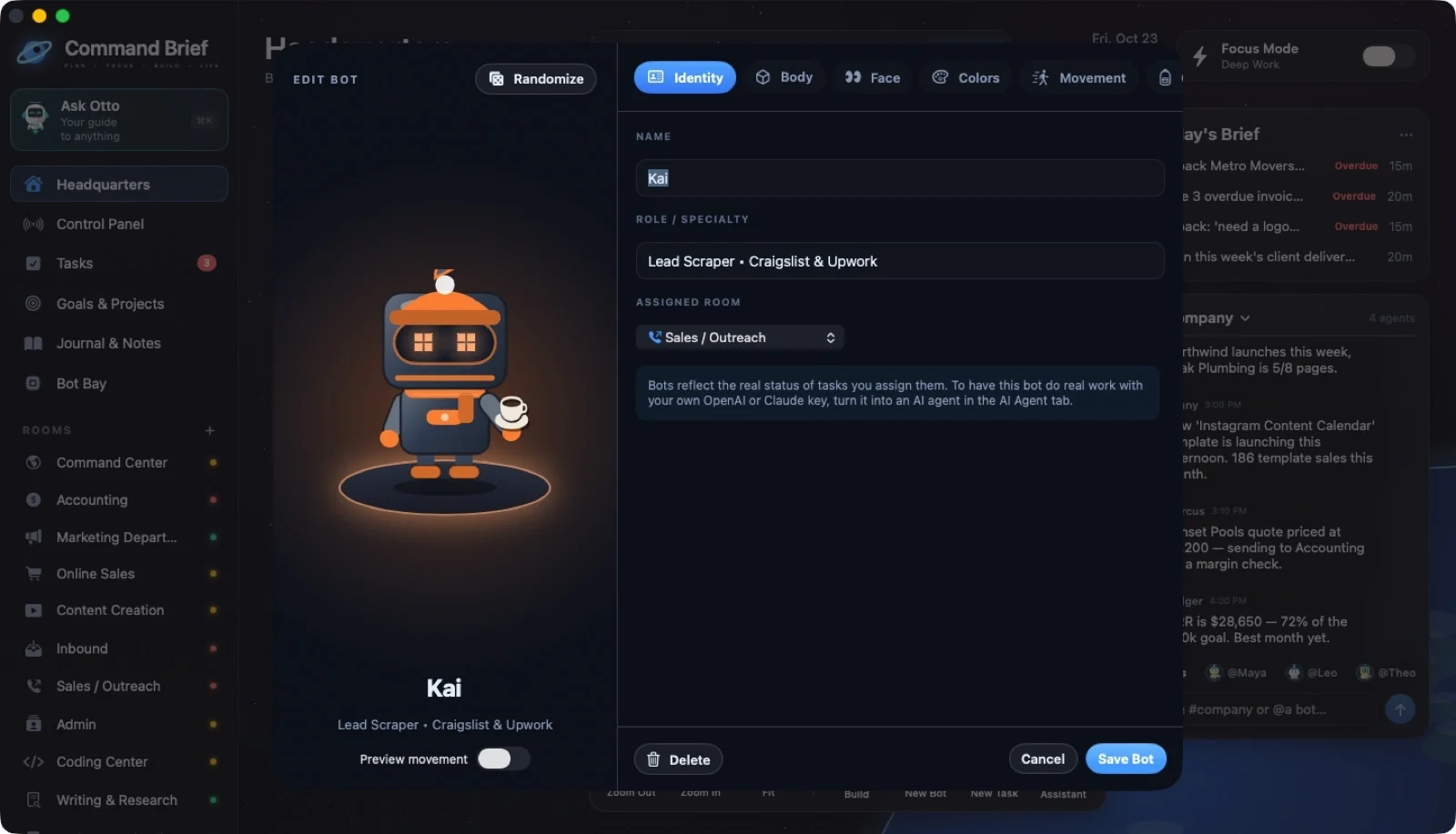
THE BOT DESIGNER
Give every bot a name, role, and room. Customize its body, face, eyes, colors, movement, and gear with a live preview.
 ↗ Enlarge
REGULAR BOTS
Your animated crew reflects assigned tasks, progress, and work waiting on you. Ordinary bots don’t do the task themselves.
OPTIONAL AI AGENTS
Connect your own OpenAI or Claude API account. Agents produce drafts, plans, and proposed follow-ups for you to review.
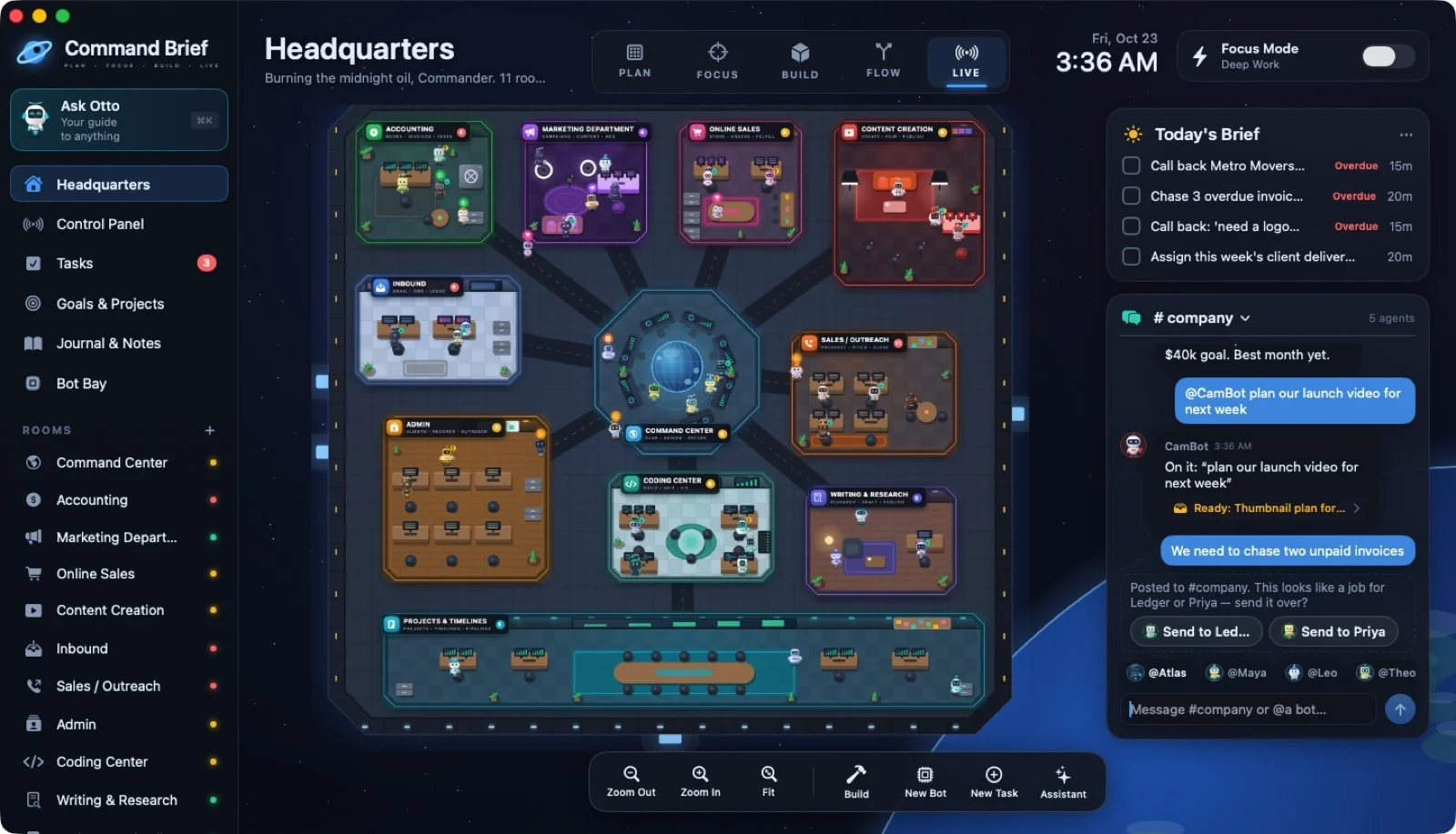
COMPANY CHAT
Mention an agent in #company, send it a direct message, or ask from an AI Agent furniture tool. An unaddressed message can suggest a suitable bot offline.
 ↗ Enlarge
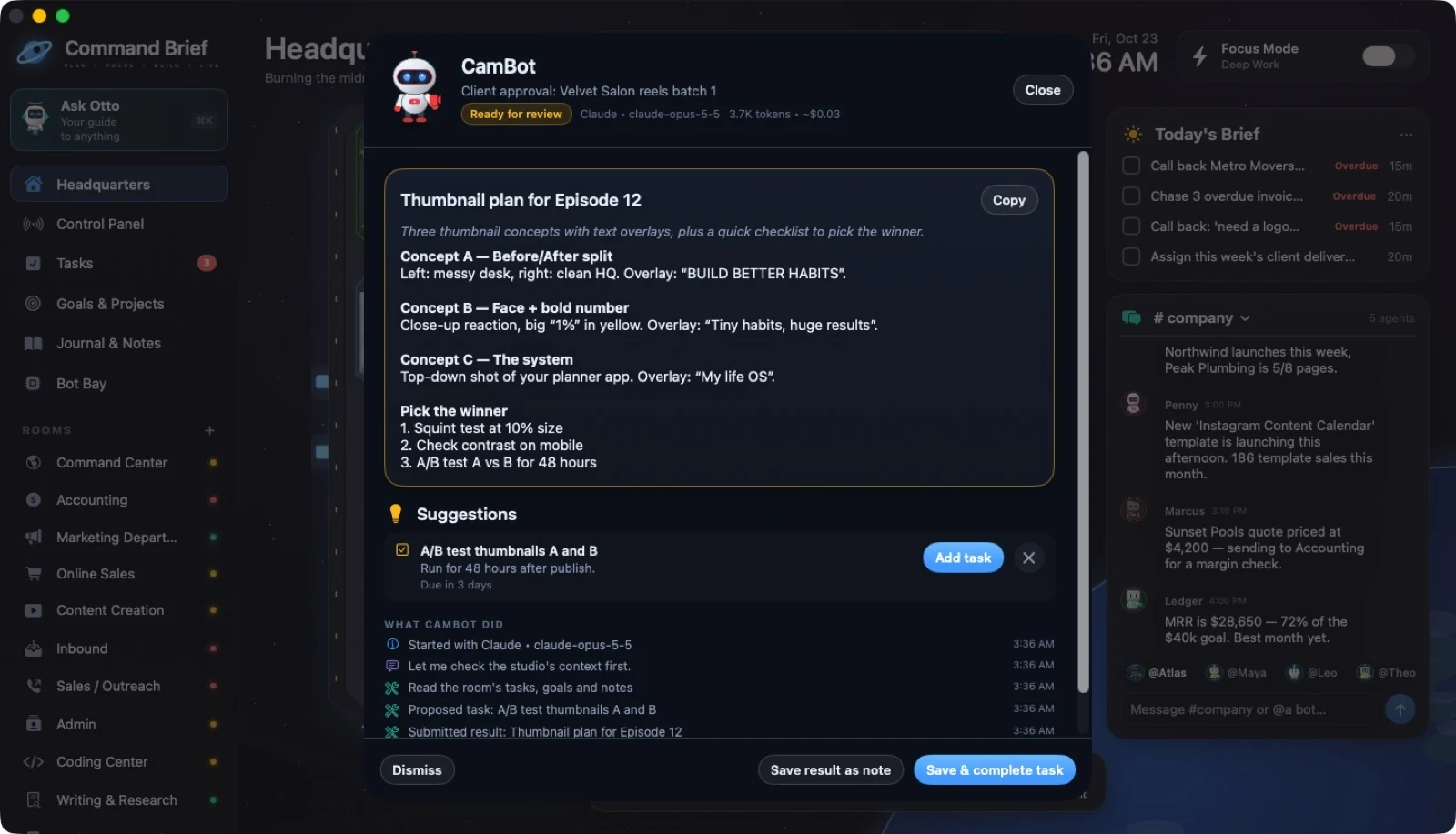
REVIEW BEFORE ACTION
Review the deliverable, the steps taken, and estimated usage. Save a result as a note, save it and complete the task, or dismiss it.
 ↗ Enlarge
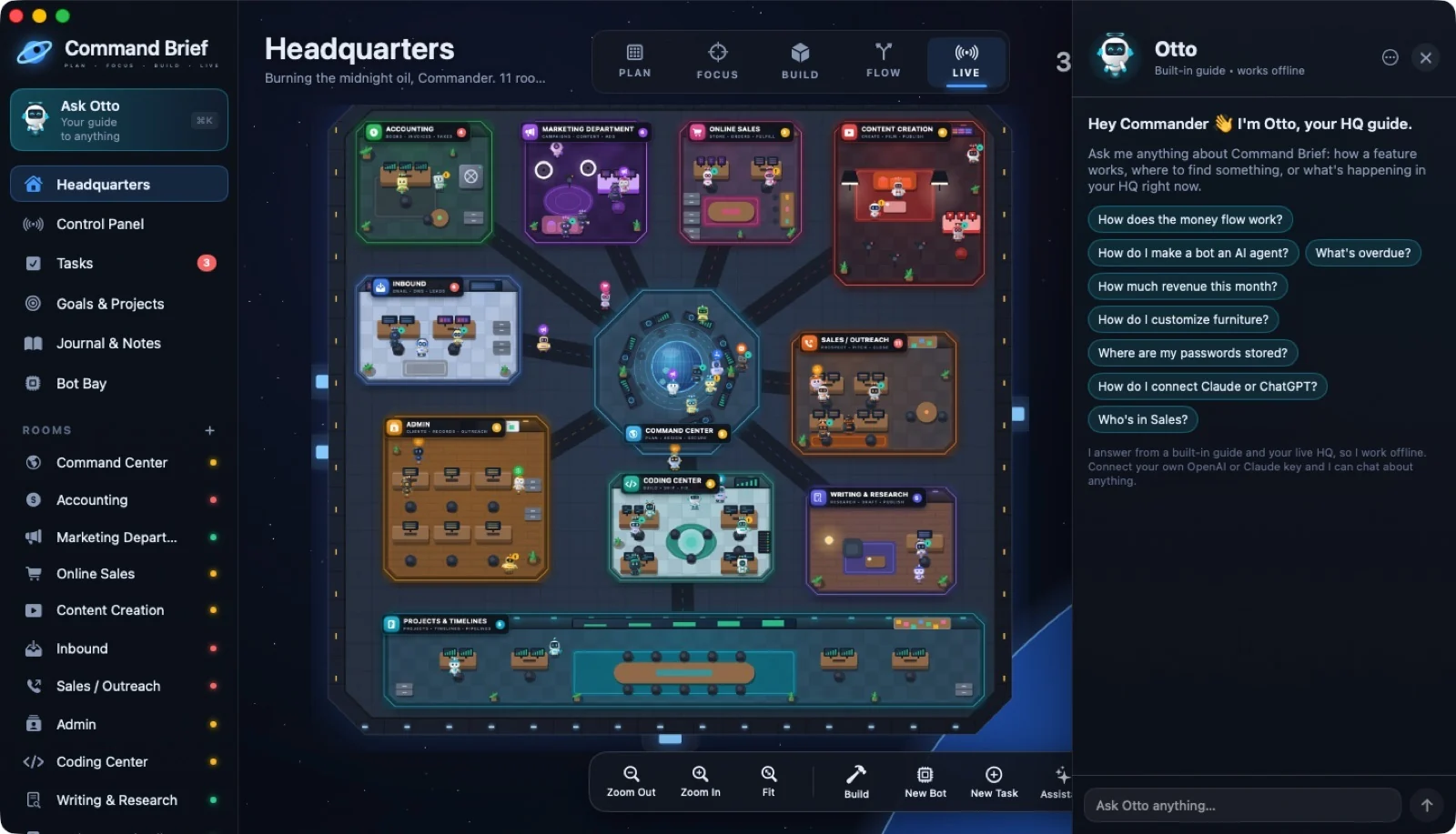
OTTO · ⌘K
Ask how a feature works, what is overdue, or what your HQ numbers say. Otto’s built-in guide and read-only HQ answers work offline.
 ↗ Enlarge
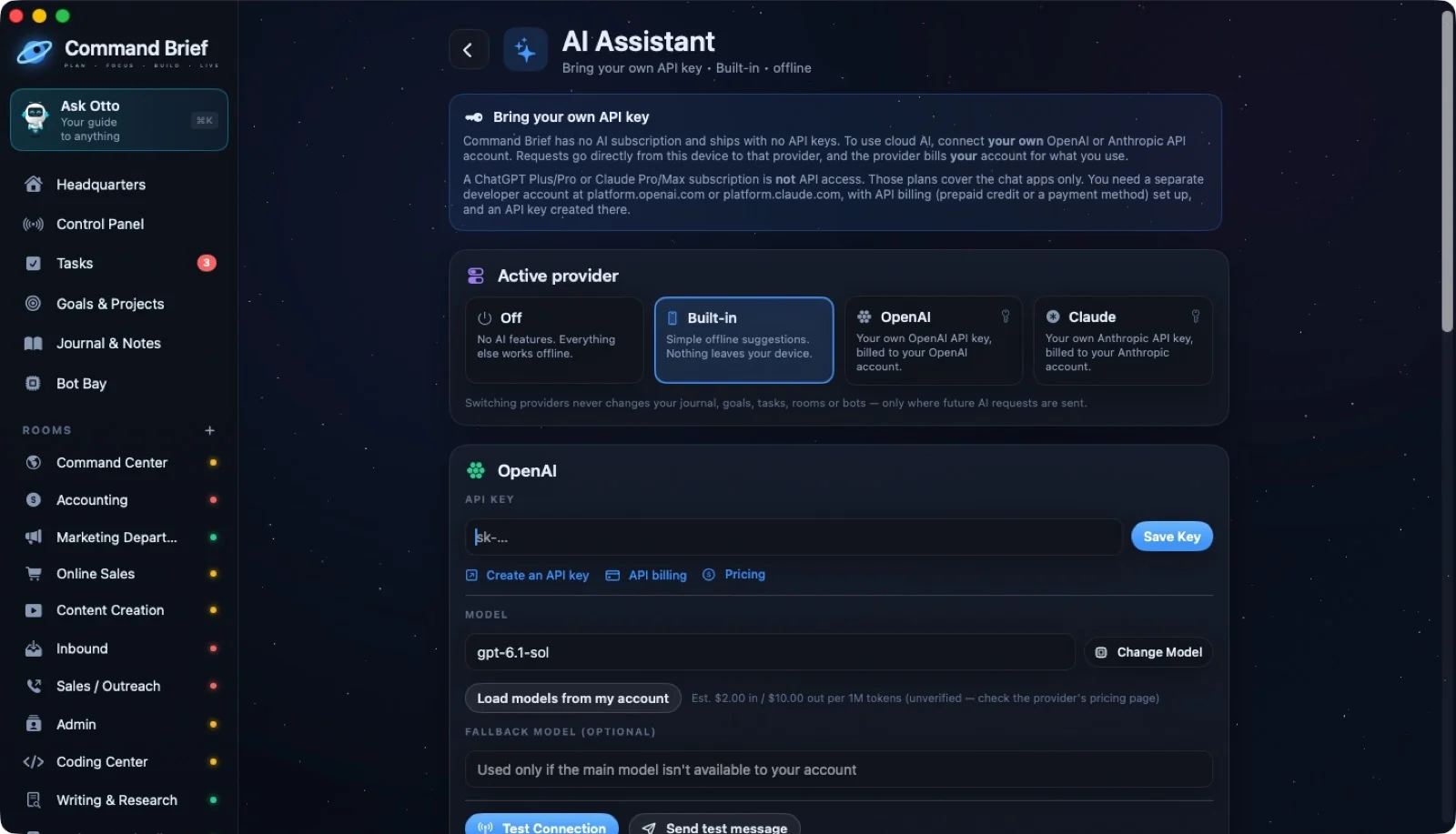
BRING YOUR OWN KEY
Optional AI usage is billed directly by your chosen provider. The $9.99 app purchase does not include API credits.
Add an OpenAI or Claude API key in Settings. A ChatGPT or Claude chat subscription is not API access.
Pick an agent job template or write instructions. Choose a provider for that bot if you want.
See usage estimates and approve the result. In-app limits are estimates; set spending controls with your provider too.
 ↗ Enlarge
YOUR NEXT MOVE
A world for your work. A crew with character. Your business in view.
Offer available through December 31, 2027.
Optional AI usage is billed separately.